 SocialAgent
One workspace to plan, create and publish
Create social media content with AI, plan your calendar and publish to six platforms. Keep your brand voice consistent and review posts before they go live.
Keep every brand organized
Separate brand workspaces
Keep each brand’s voice, audience, social accounts, sources and media together. Switch brands without mixing up their content.
Start from your website
Add a website to get suggested brand details. Edit the description, audience and tone before you start creating posts.
Social media content calendar
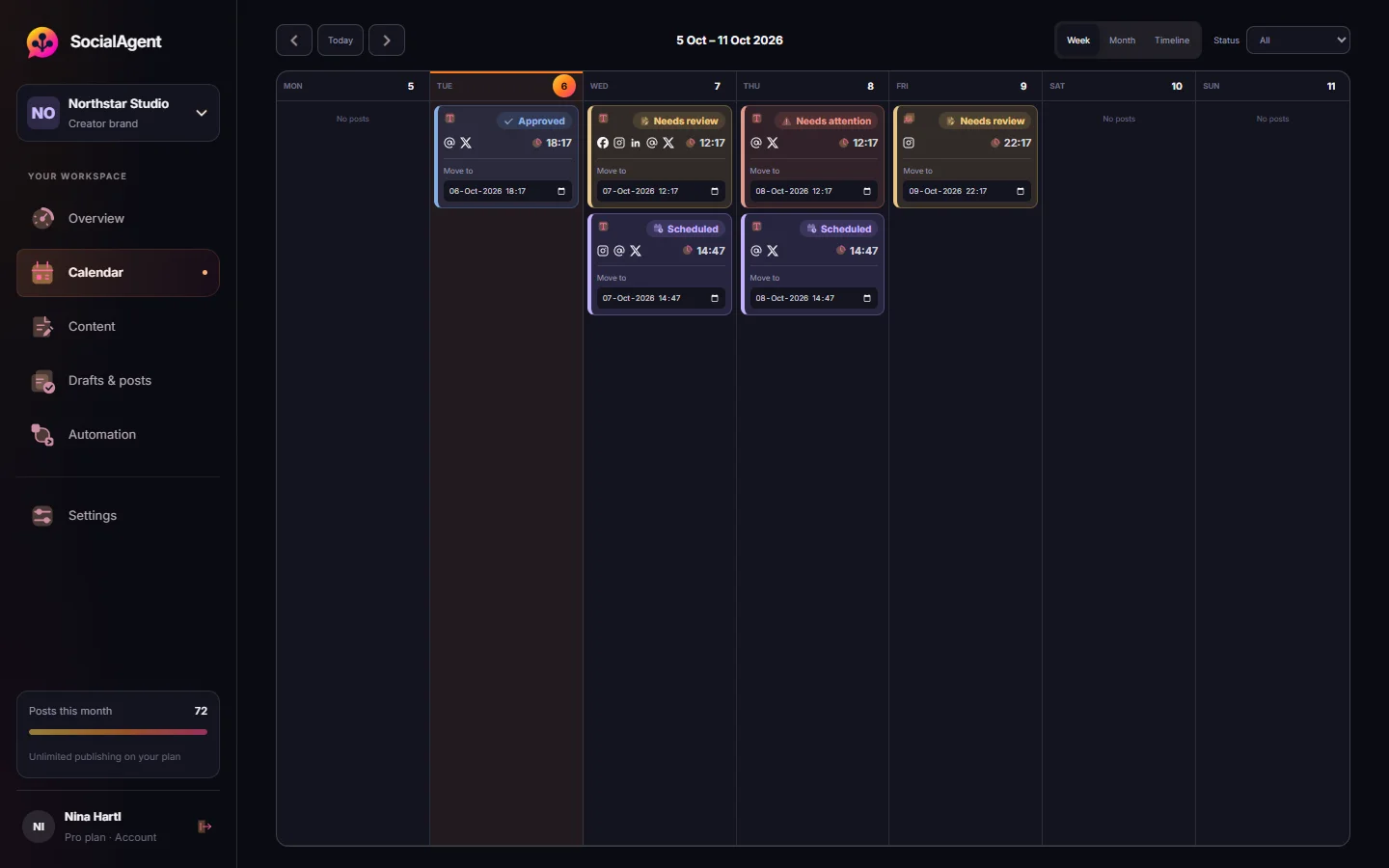
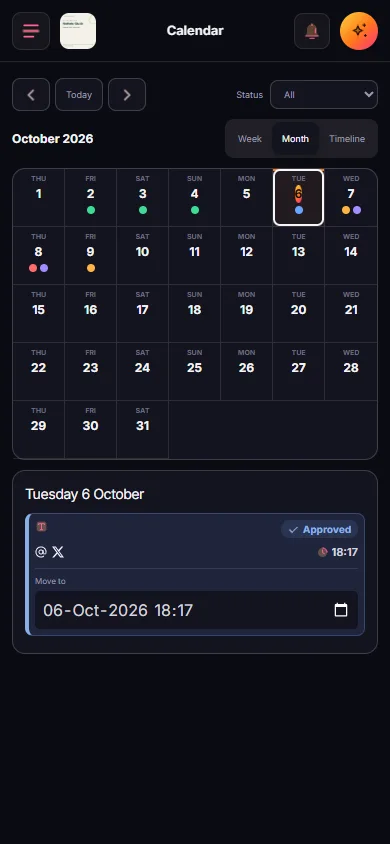
See drafts and scheduled posts by week or month. Filter by status and check your calendar on your phone.
Easy rescheduling
Move a post to a new time from the calendar. If only the time changes, you do not need to approve the post again.
Post in your timezone
Set a timezone for your brand. SocialAgent follows its local time, including daylight saving changes.
Recurring schedules
Choose posting days and times, then prepare drafts one to fourteen days ahead. Review them before publishing or enable automatic publishing for that schedule.
Create captions, images, carousels and videos
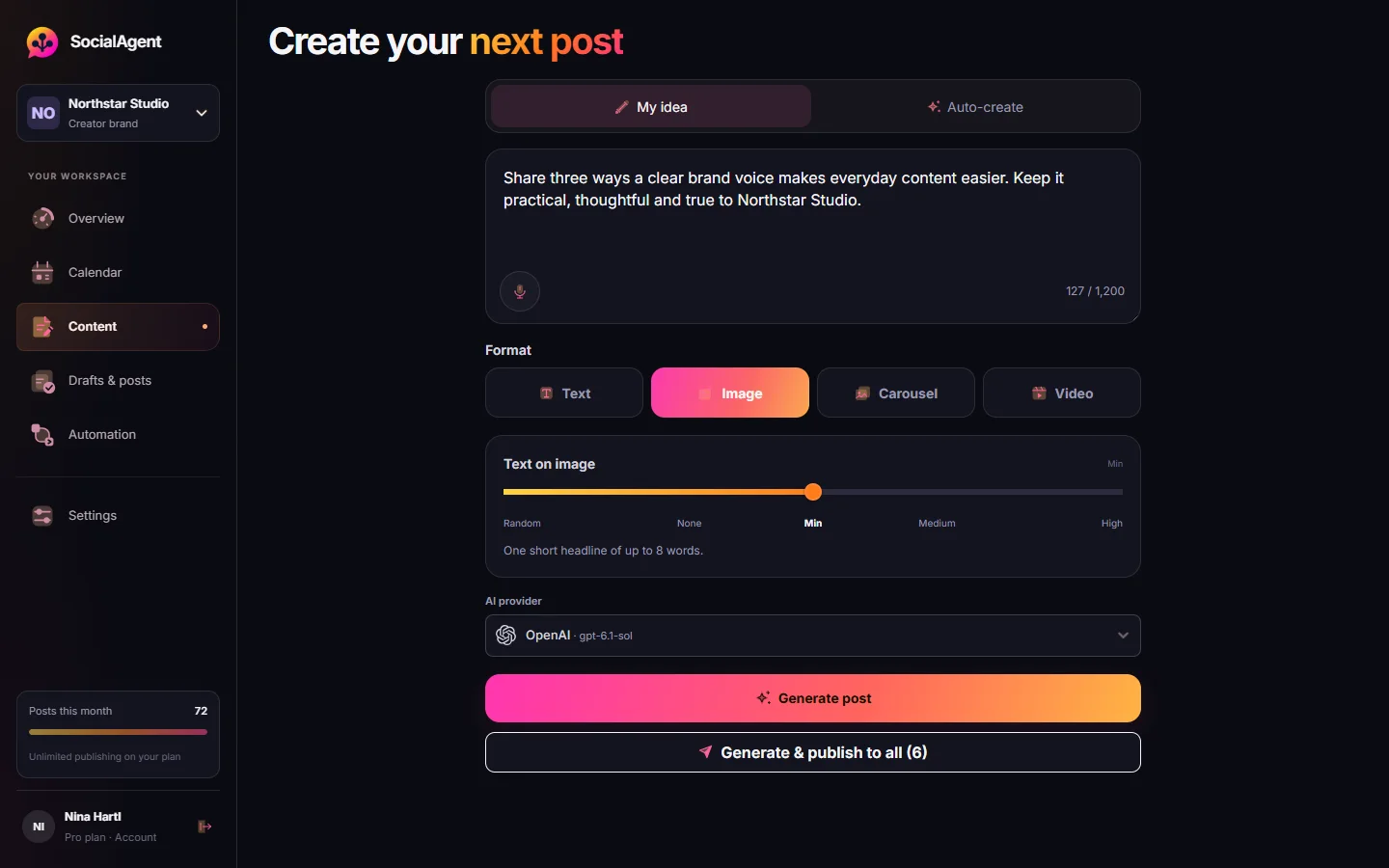
Choose your AI provider
Connect your own OpenAI, Anthropic, Gemini, Grok or Mistral account with an API key. Your provider bills AI usage separately.
See which AI created a draft
Each draft shows the provider and model used, so you can compare results and choose what works for your brand.
A version per platform
Each connected channel gets its own editable caption and preview, including LinkedIn Company Pages and Facebook Pages.
AI carousel generator
Create two to five slides with artwork guided by your Brand Kit. Preview every slide before publishing.
Short video creation
Turn an idea into a 15–30 second vertical video with animated text and your brand style. Choose from five visual styles. Included with Pro.
Images
Generate images through OpenAI, Gemini or Grok, or upload your own. Media is private by default and stored in your workspace.
Turn your sources into new post ideas
Your websites and RSS feeds
Choose the sources each brand uses for research, such as your website, blog or industry feeds.
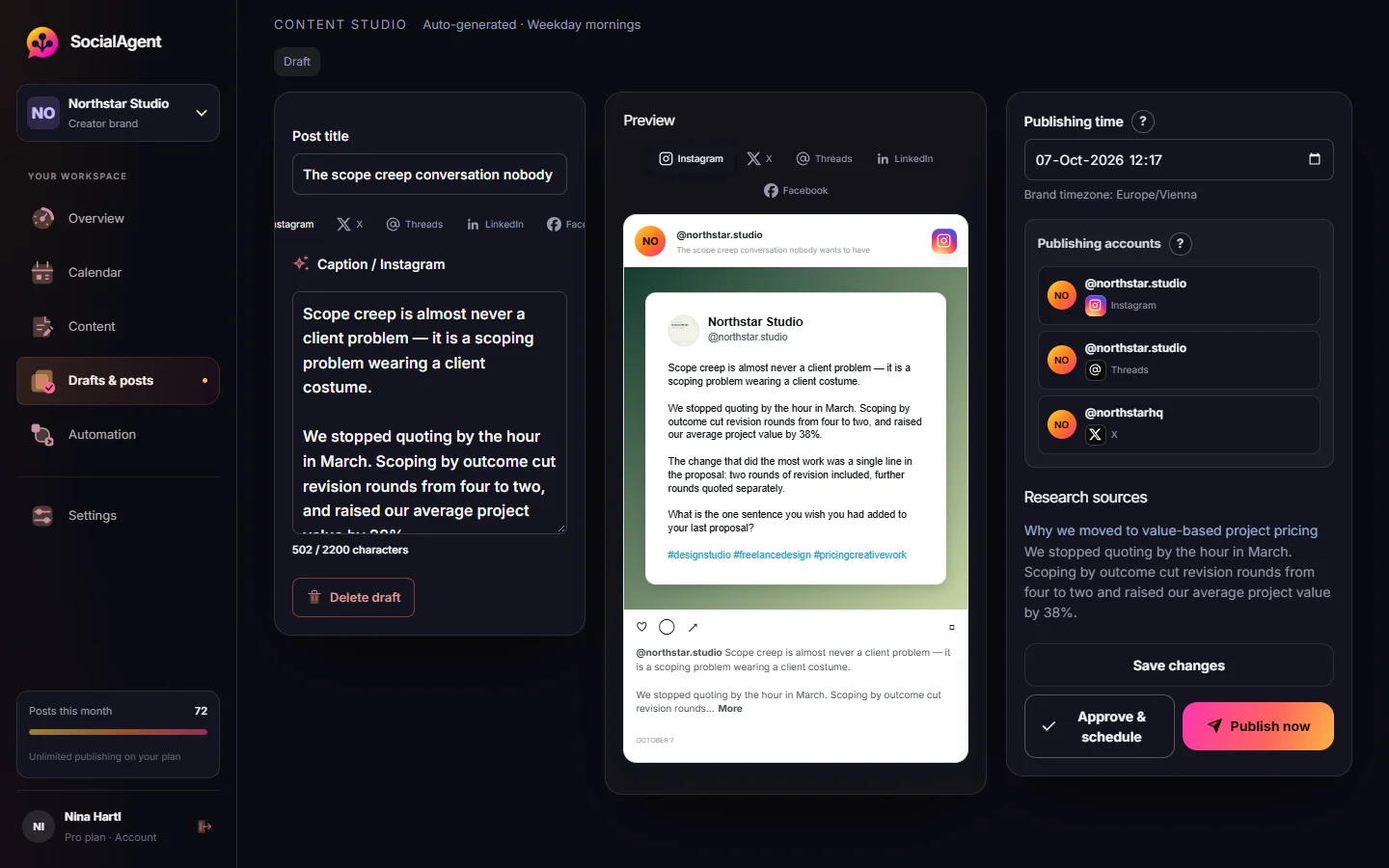
Sources beside the draft
Read the saved source text alongside the post, so you can check what the draft is based on.
Fresh ideas on a schedule
Set up recurring research to turn new material from your sources into drafts for your review queue.
Checks before publishing
Older cited sources are checked again. If an excerpt changed or cannot be checked, the post waits for review.
Stay in control of what goes live
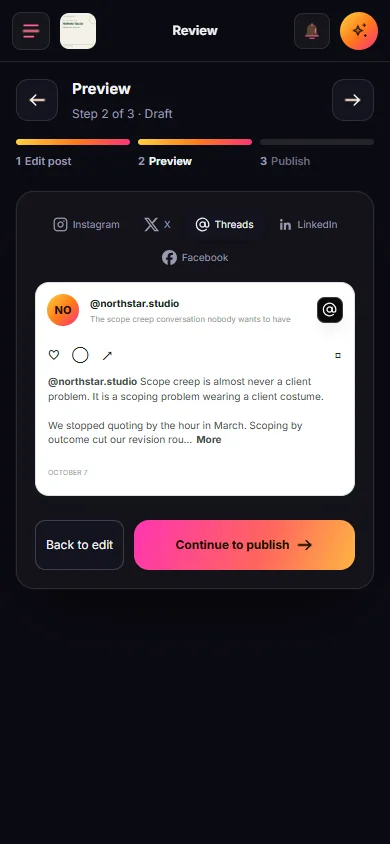
Review before publishing
Drafts wait for approval by default. Turn on automatic publishing only for the schedules you choose.
Review your edits
Change an approved post and the edited version returns for approval before it can publish.
Connect through official sign-in
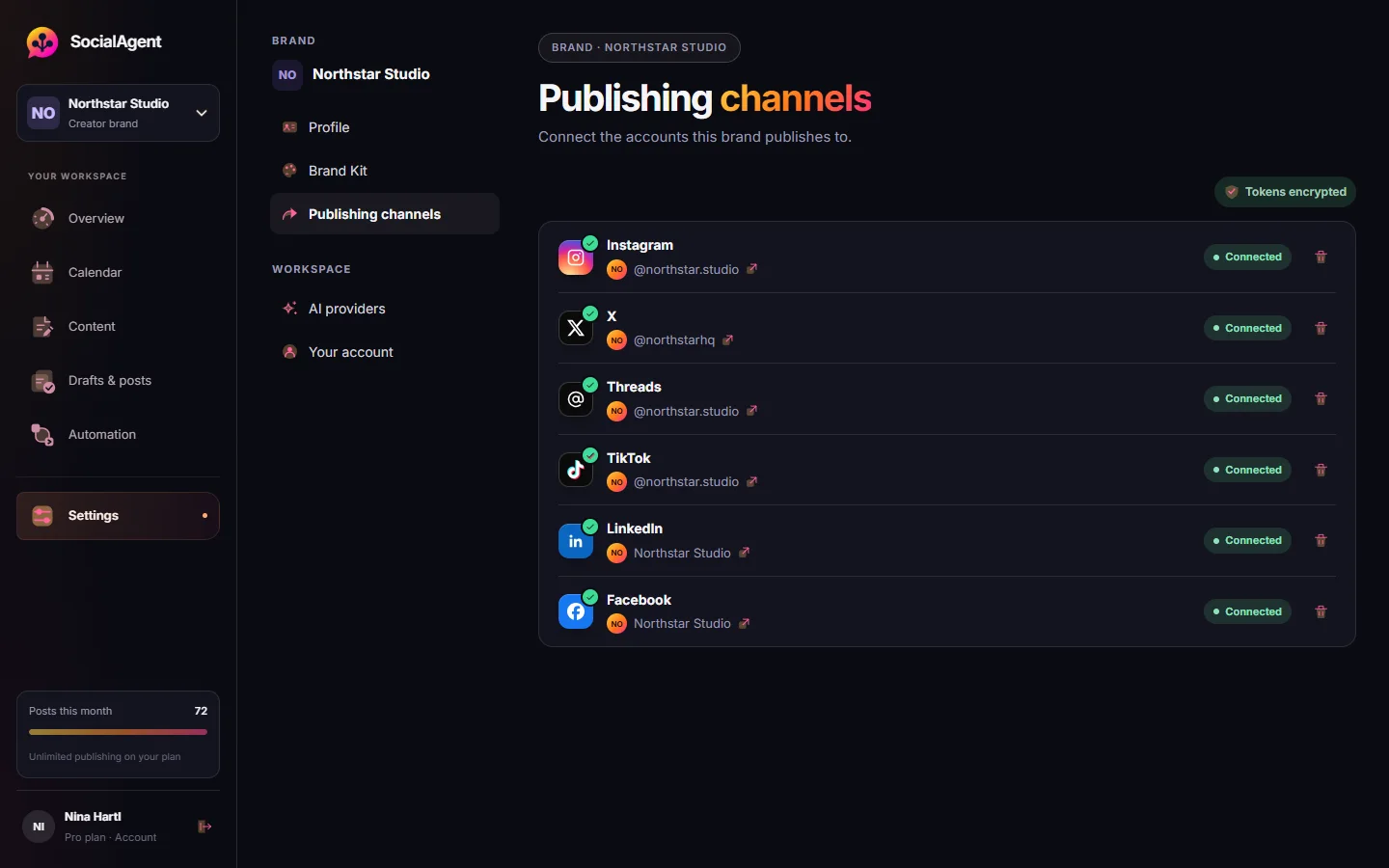
Link Instagram, Threads, X, TikTok, LinkedIn Company Pages and Facebook Pages through their own sign-in pages. You do not give SocialAgent your social passwords.
One post, every channel
Send a post to each connected channel of the brand at once, and check the publishing result for every account.
Media publishing
Publish the format supported by each destination, with separate results for each account. Instagram and TikTok text posts use a quote-card image; X carousels use up to four images; videos go out as Reels, TikToks and native video posts.
Connection reminders
Supported connections are renewed automatically. If access is removed, SocialAgent asks you to reconnect the account.
Your brand belongs in more than one feed
Instagram, Threads, X, TikTok, LinkedIn Company Pages and Facebook Pages. Connect the accounts and Pages you manage, then choose the destinations for each post.
What happens when things go wrong
See what happens if a connection fails, a source changes or a post needs another look.
| Situation | What SocialAgent does |
|---|---|
| A platform has a temporary error | Retries automatically and records the result |
| It is unclear whether a post went live | Pauses that account’s publishing attempt for a check to help avoid duplicate posts |
| A cited source changed since generation | Holds the post and says which source changed |
| Several cited sources need updating | Holds the post for review and keeps the sources attached |
| An account connection needs attention | Renews supported connections or asks you to reconnect |
| You reach your plan limit | Pauses automated work at the limit and notifies you |
| Two schedules target the same slot | Rejects the duplicate slot instead of publishing twice |
Source checks detect changes in the cited text. They do not verify whether a claim is true, so you should still review factual posts.
The numbers, stated plainly
| Free | Pro | |
|---|---|---|
| Published posts / month | 15 | Unlimited |
| Text, image & carousel posts | Included | Included |
| AI video posts (five motion styles) | — | Included |
| AI generations | Unlimited | Unlimited |
| Platforms | All six channels | All six channels |
| Brand workspaces | 1 | Unlimited |
| Brand-aware carousel artwork | Included | Included |
| Recurring research schedules | Included | Included |
Check post usage in your workspace. SocialAgent does not limit AI generations; your AI provider bills usage separately. See pricing for plan details.
Ready to bring your workflow together?
The Free plan includes one brand and 15 posts a month. Connect your own AI account, with provider usage billed separately.