 SocialAgent
AI social media content creator and scheduler
SocialAgent helps you create captions, images, carousels and short videos for your brand. Review your posts, then schedule and publish them to six social platforms from one calendar.
Free plan available · Your own AI API key required; provider charges apply
- Threads
- X
- TikTok
- LinkedIn Company Pages
- Facebook Pages
Join the waitlist.
Keep 50% off for life.
The first 100 people to register get 50% off the standard SocialAgent subscription price for the lifetime of their subscription.
- One place per unique email
- No payment today
- Founder discount tied to your email
We’ll only email you about your place and the SocialAgent launch. See the offer terms and privacy policy.
Already have a beta access key? Create your account.
What is SocialAgent?
SocialAgent is an AI social media content creator and scheduler for creators, small businesses and teams managing multiple brands.
Generate content in your brand voice, review each draft and plan posts in one social media calendar. Use recurring schedules to prepare drafts ahead of time and publish approved posts in your brand’s timezone.
Instagram publishing requires a Business or Creator account. LinkedIn and Facebook publishing is for Company Pages and Facebook Pages.
- Content formats
- Captions, images, two-to-five-slide carousels and 15–30 second videos. Video creation is included on Pro.
- Publishing channels
- Instagram, Threads, X, TikTok, LinkedIn Company Pages, Facebook Pages.
- Plans
- Free: €0, one brand and 15 published posts a month. Pro: €29/month, unlimited posts and brands, plus video. Compare Free and Pro plans.
- AI usage
- Bring your own OpenAI, Anthropic, Gemini, Grok or Mistral API key. Your provider bills AI usage separately from your SocialAgent subscription.
- Availability
- SocialAgent is in beta. Join the waitlist, or register with a beta access key.
From your website to your next social post
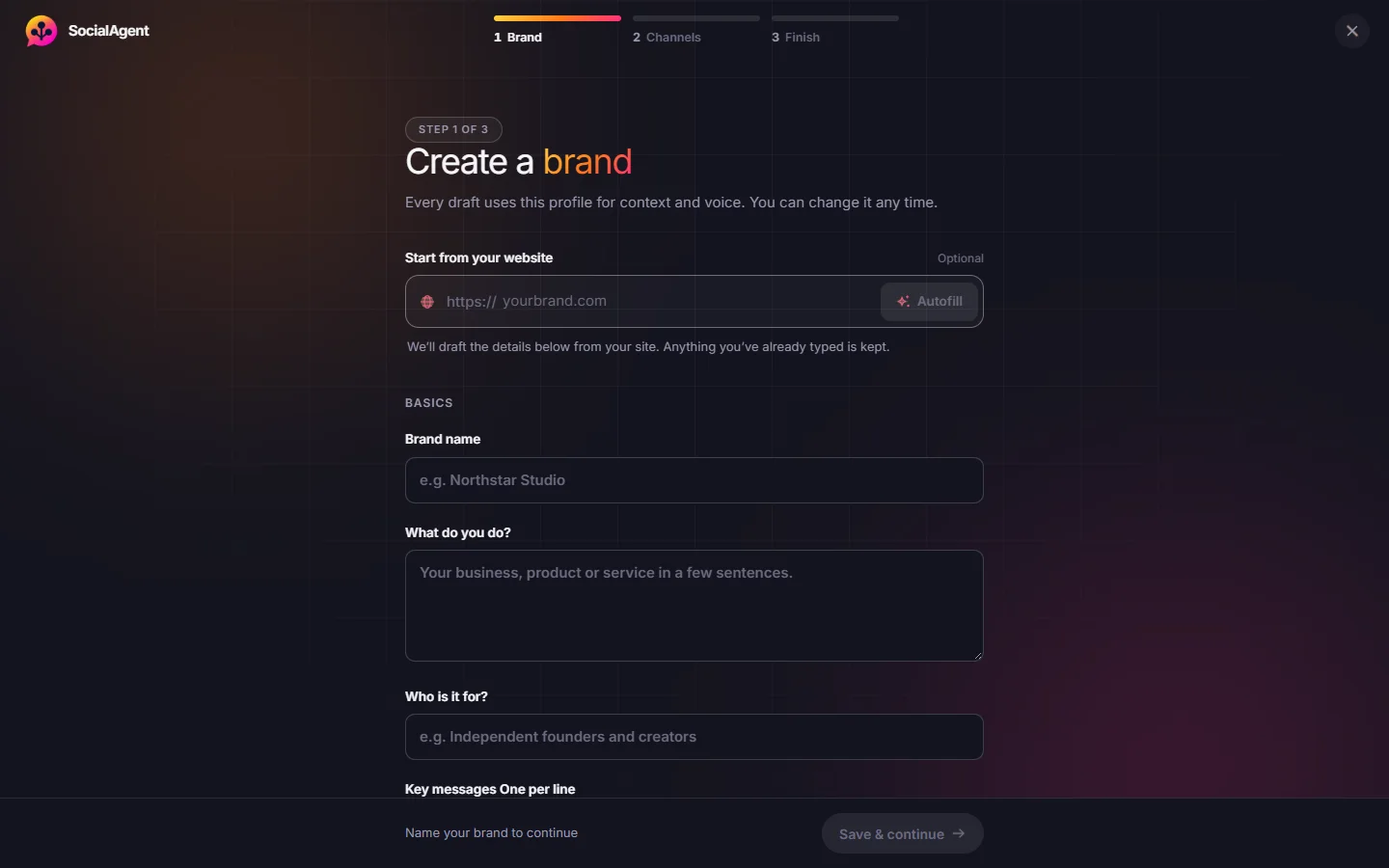
Set up your brand, connect your accounts and create your first draft. You choose what gets published and when.
-
Add your website
SocialAgent uses your website to suggest your brand description, audience, tone and visual style. Check the details and make them your own.
A starting point for posts that fit your brand -
Connect your accounts
Choose the social accounts you want to publish to, then connect your AI provider with an API key. AI usage is billed separately by your provider.
Your social channels and AI, ready to use -
Create, review and schedule
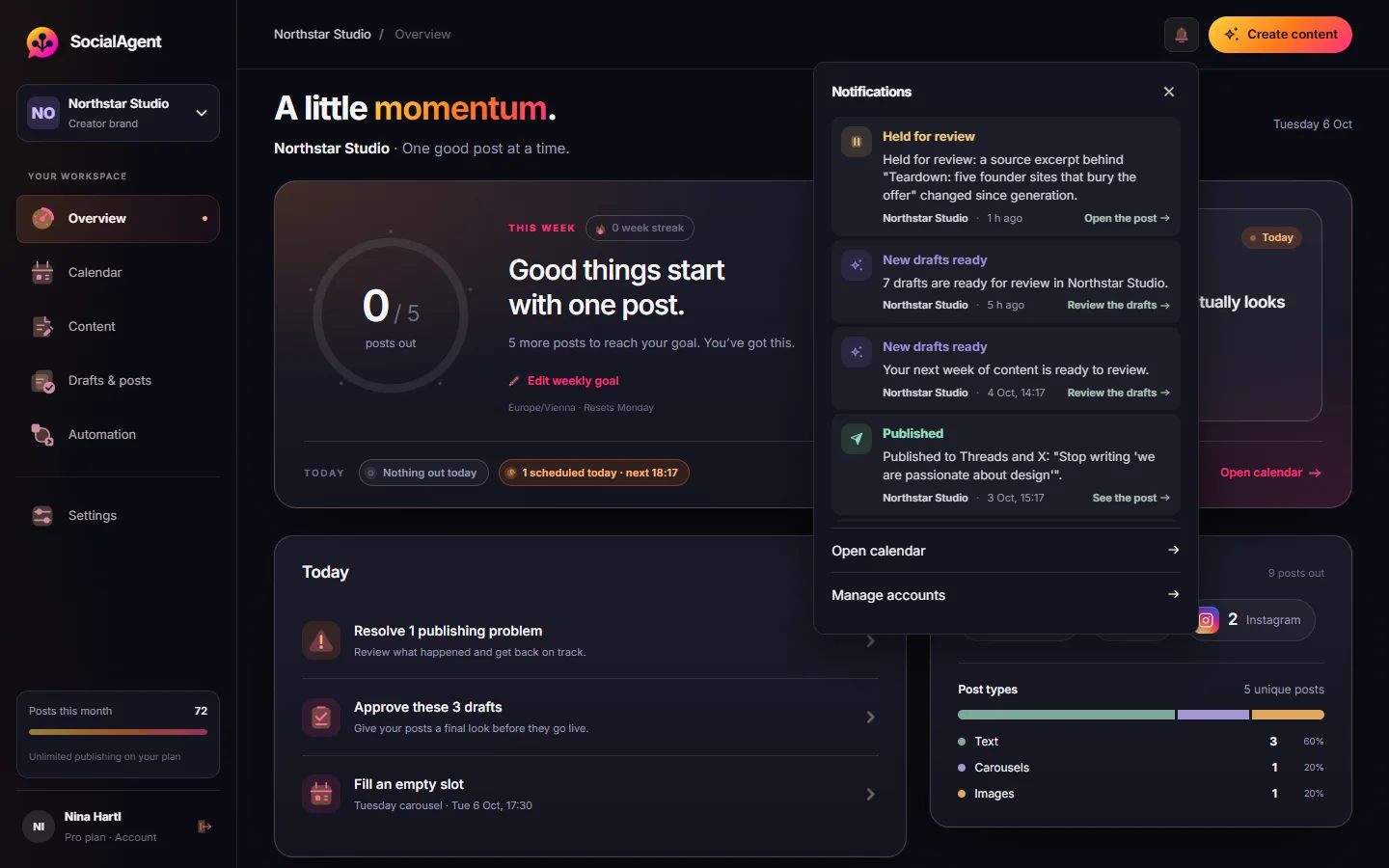
Generate captions, images, carousels or short videos. Edit the drafts, choose when to post and approve them. You can also turn on automatic publishing for a recurring schedule.
Social posts ready for your calendar
Free plan, no credit card · See the full walkthrough
One place to create and schedule posts
For creators, small businesses and teams managing more than one brand. Go from a first idea to a published post without switching between separate tools for each step.
Give AI a feel for your brand
Start with your website or add your details yourself. Save what you do, who you want to reach and how you want to sound, so you do not have to explain your brand for every post.
- Set your audience, topics, language and tone of voice
- Save colors, fonts and a logo in your Brand Kit
- Keep each brand and its social accounts separate
Turn an idea into social content
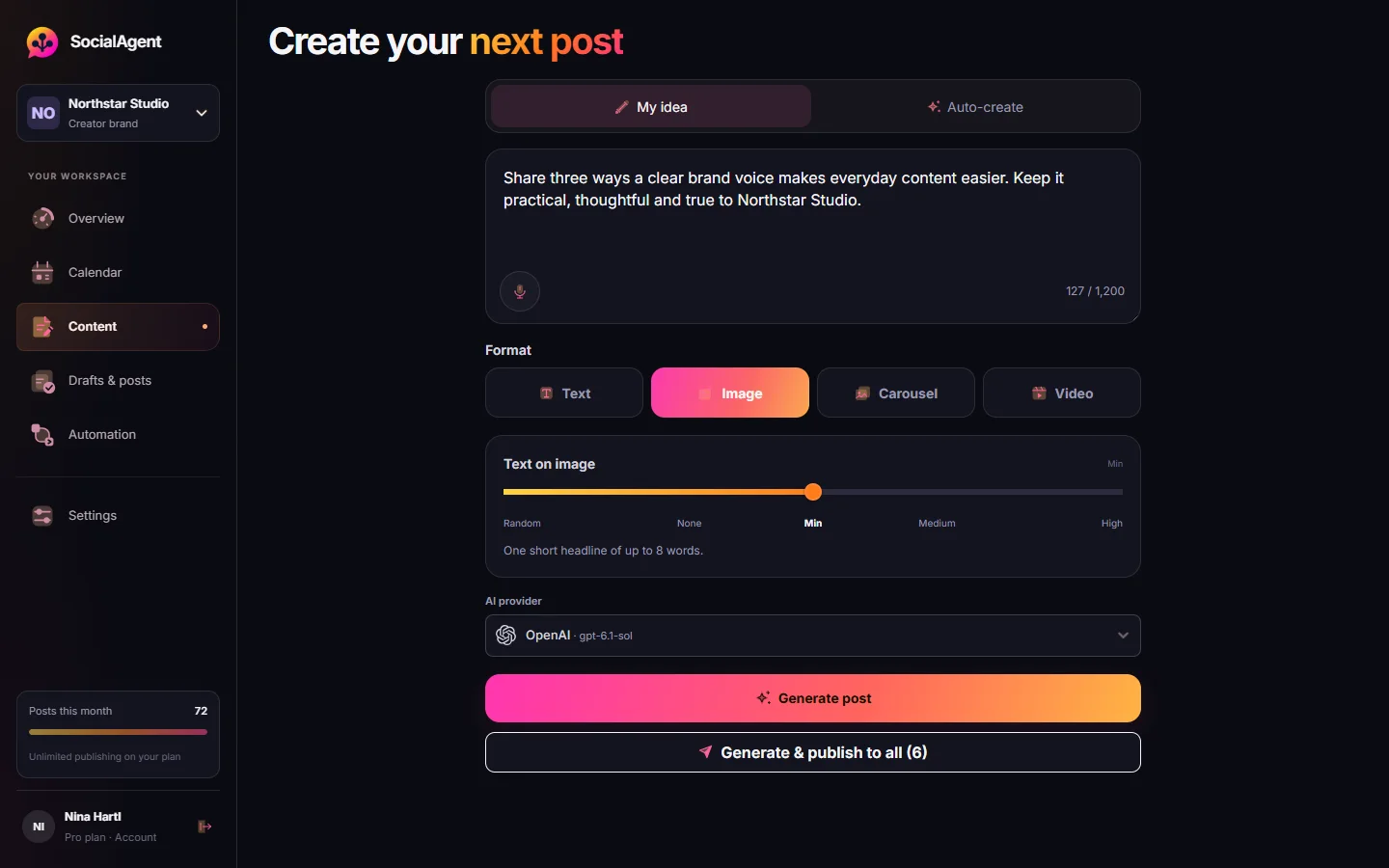
Start with an idea or let AI suggest one based on your brand. Create a text post, image, carousel or short video, with captions you can edit for each platform.
- Use your own OpenAI, Anthropic, Gemini, Grok or Mistral account
- Create images and carousels; add short videos with Pro
- Preview and adjust the caption for each social channel
Review, schedule or publish now
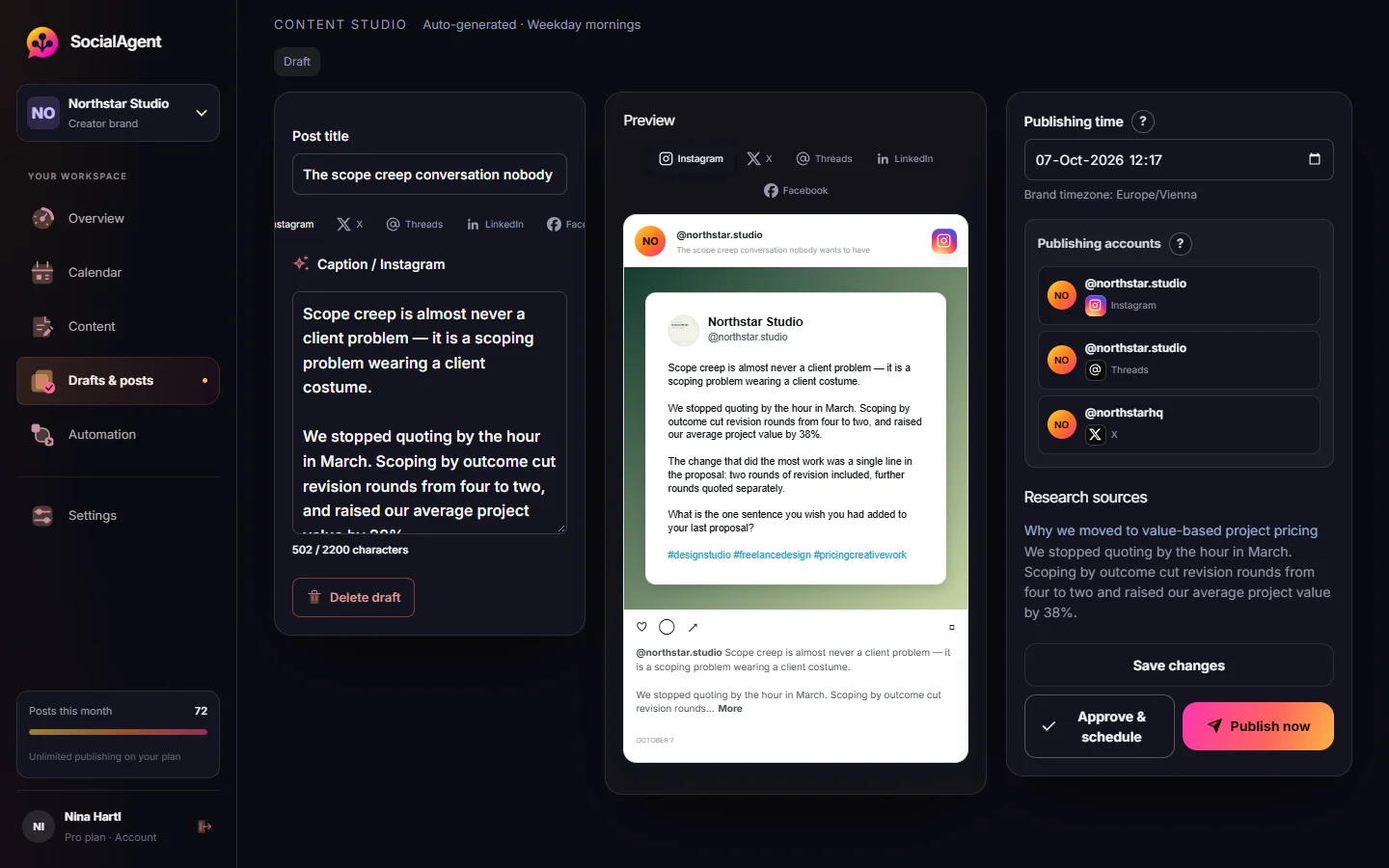
See how each post will look, check the copy and choose the accounts it goes to. Publish right away or approve it for later.
- Review posts before they go live by default
- Read the sources behind research-based drafts
- Edit an approved post and review it again before publishing
Keep your social calendar moving
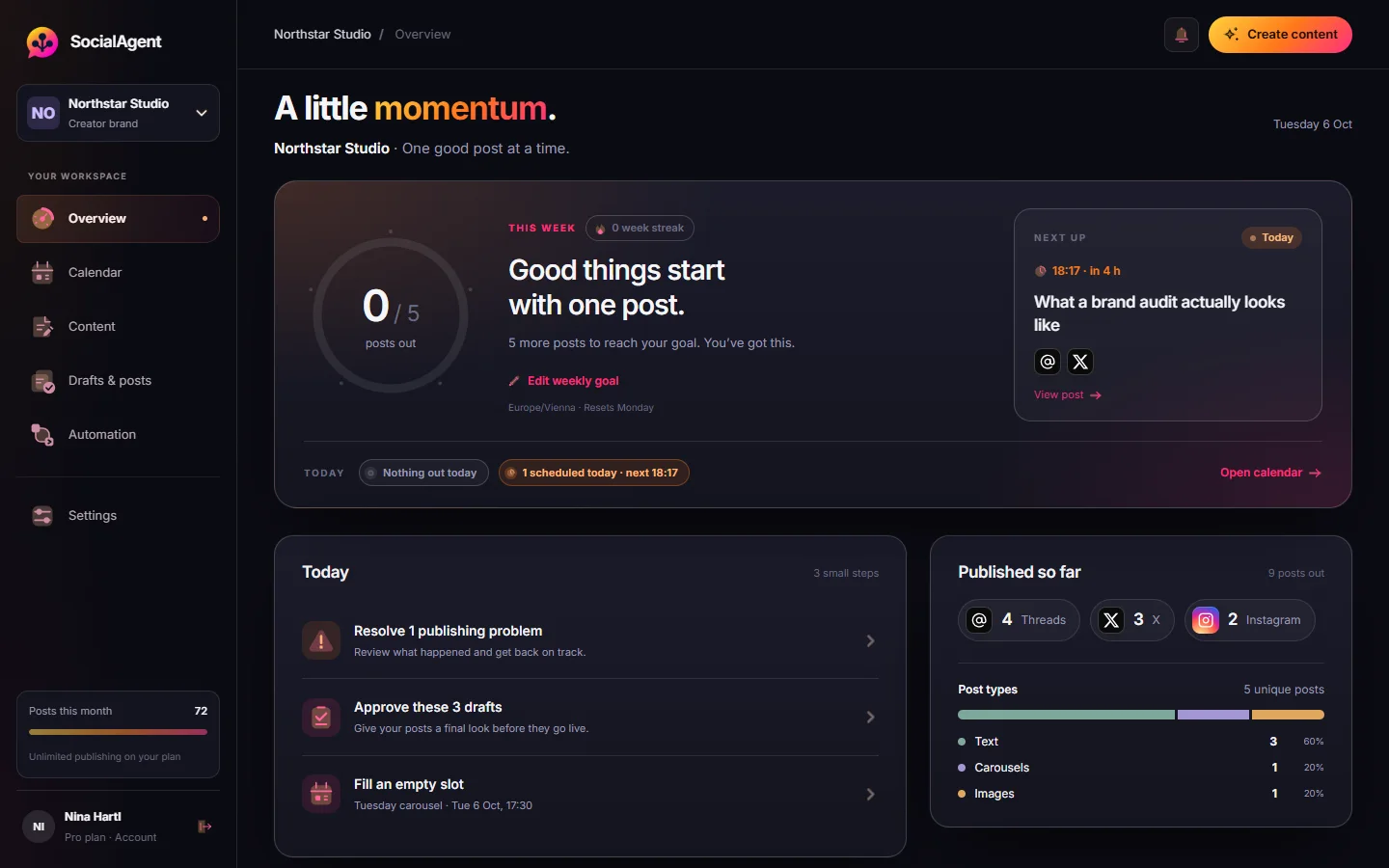
Choose your posting days and times. SocialAgent prepares drafts ahead of time and publishes approved posts on schedule, using your brand’s timezone.
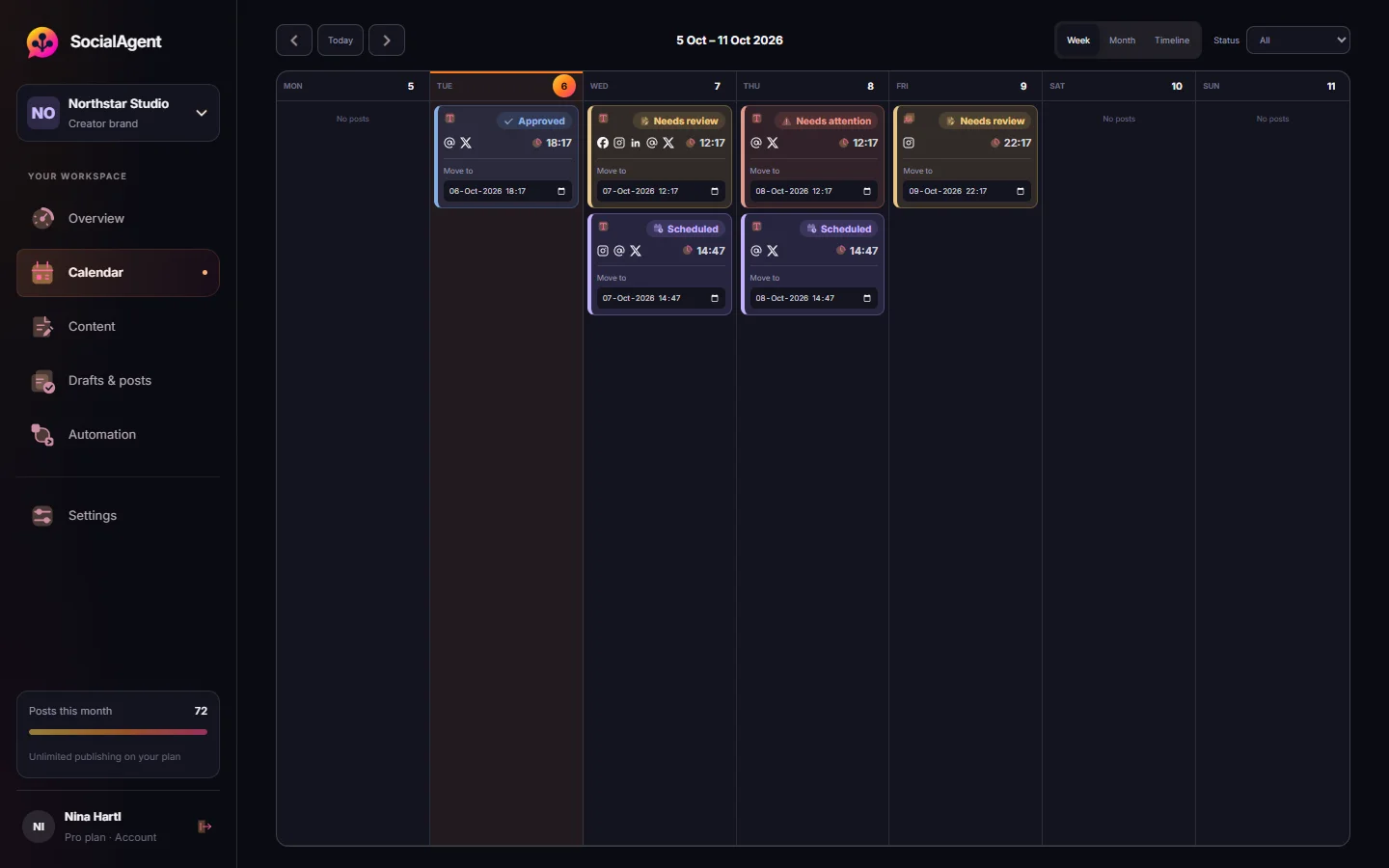
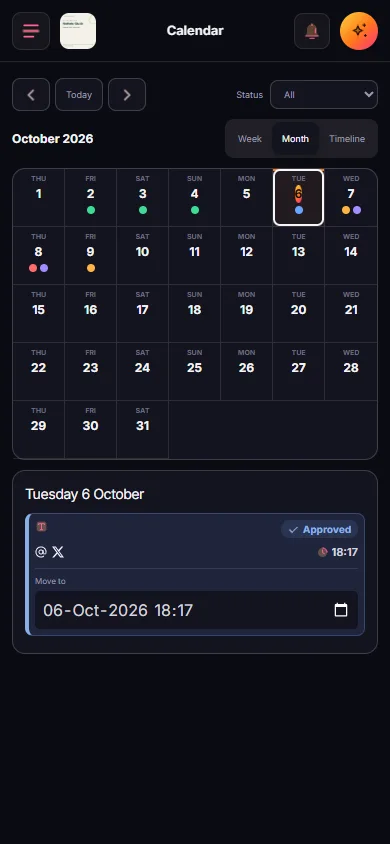
- See upcoming posts in a weekly or monthly content calendar
- Check whether each account published successfully
- Get a notice when a post needs your attention
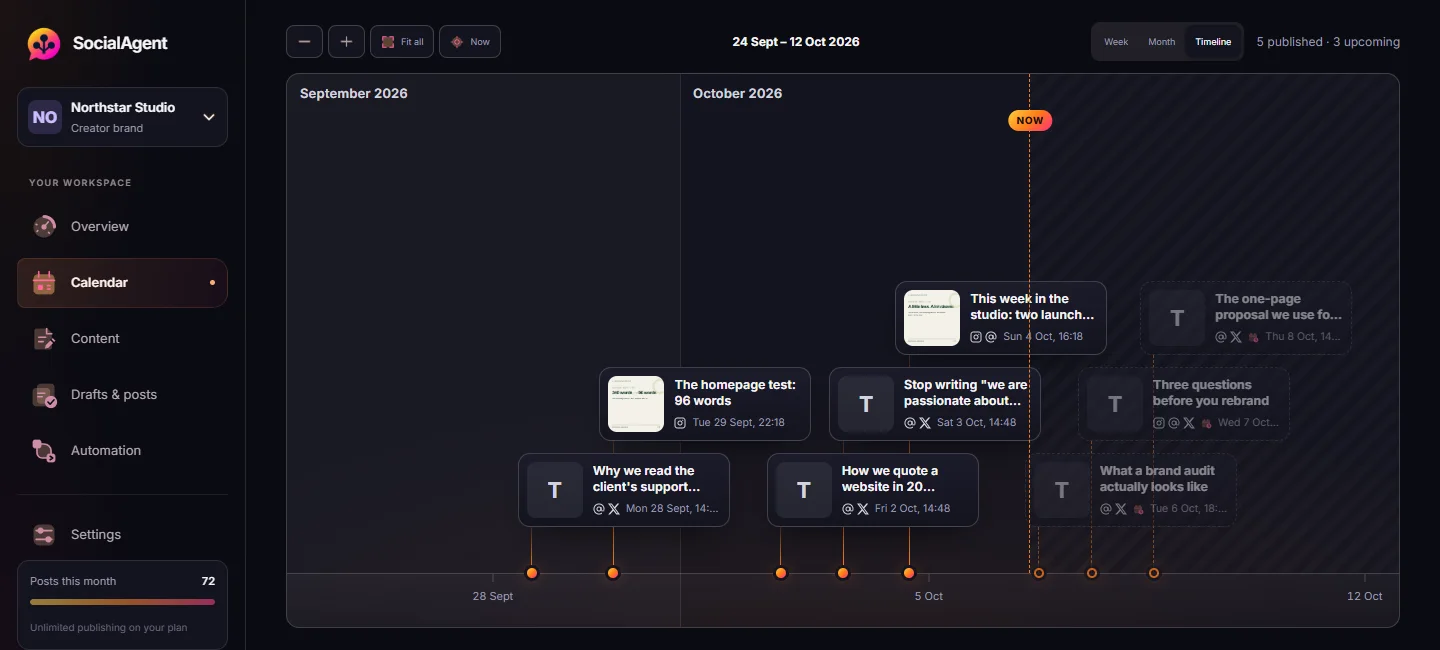
See what went live. See what comes next.
Browse published and upcoming posts on one timeline. Drag through time, zoom in for a closer look, or fit all your posts into view.
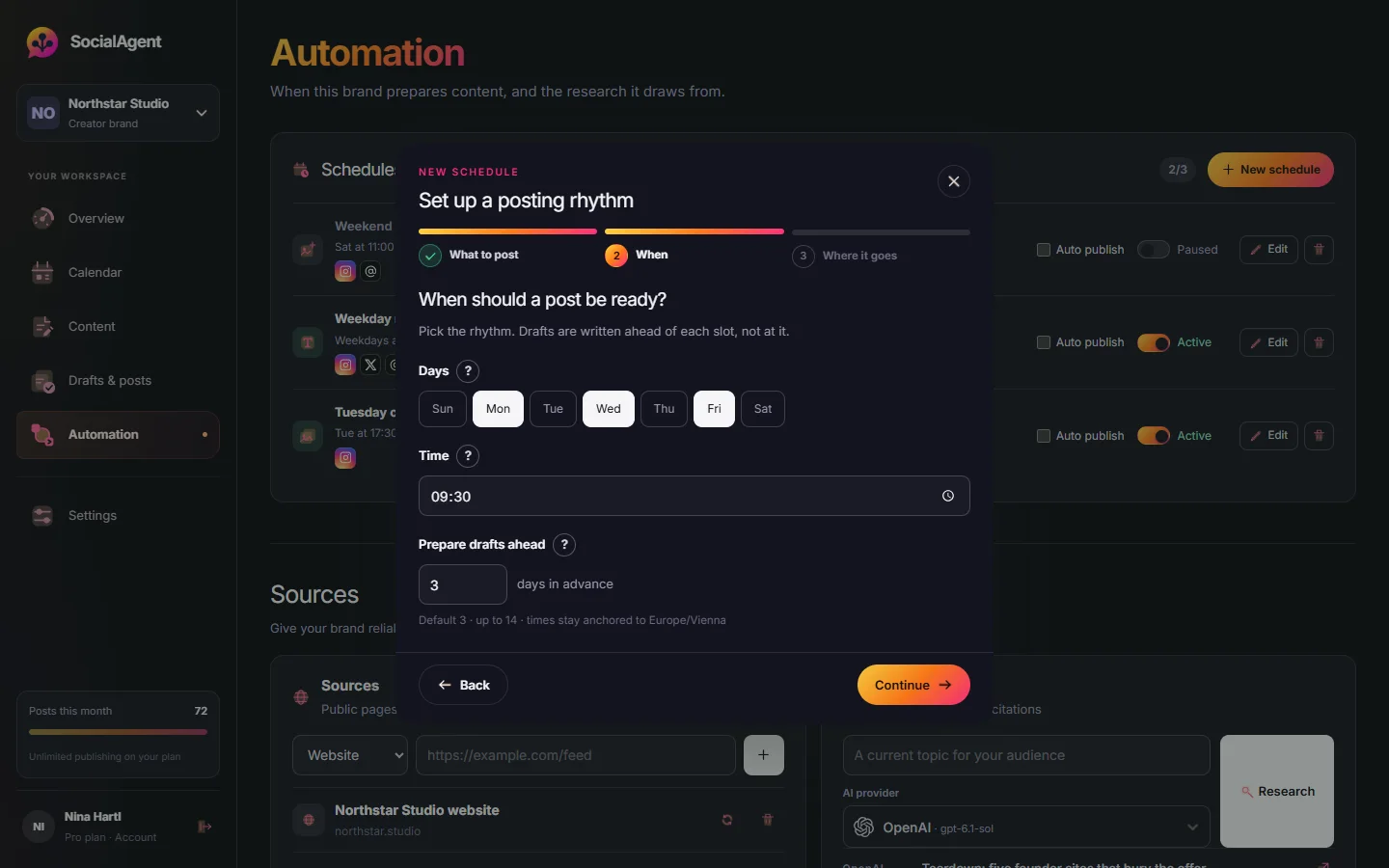
Stay consistent with recurring posts
Choose what to post, where it goes and when it goes live. SocialAgent prepares new drafts ahead of your posting days, so you have content ready to review.
- Set posting days and times for each brand
- Prepare drafts up to 14 days ahead
- Use your website and chosen sources for ideas
- Review each post, or turn on automatic publishing for a schedule
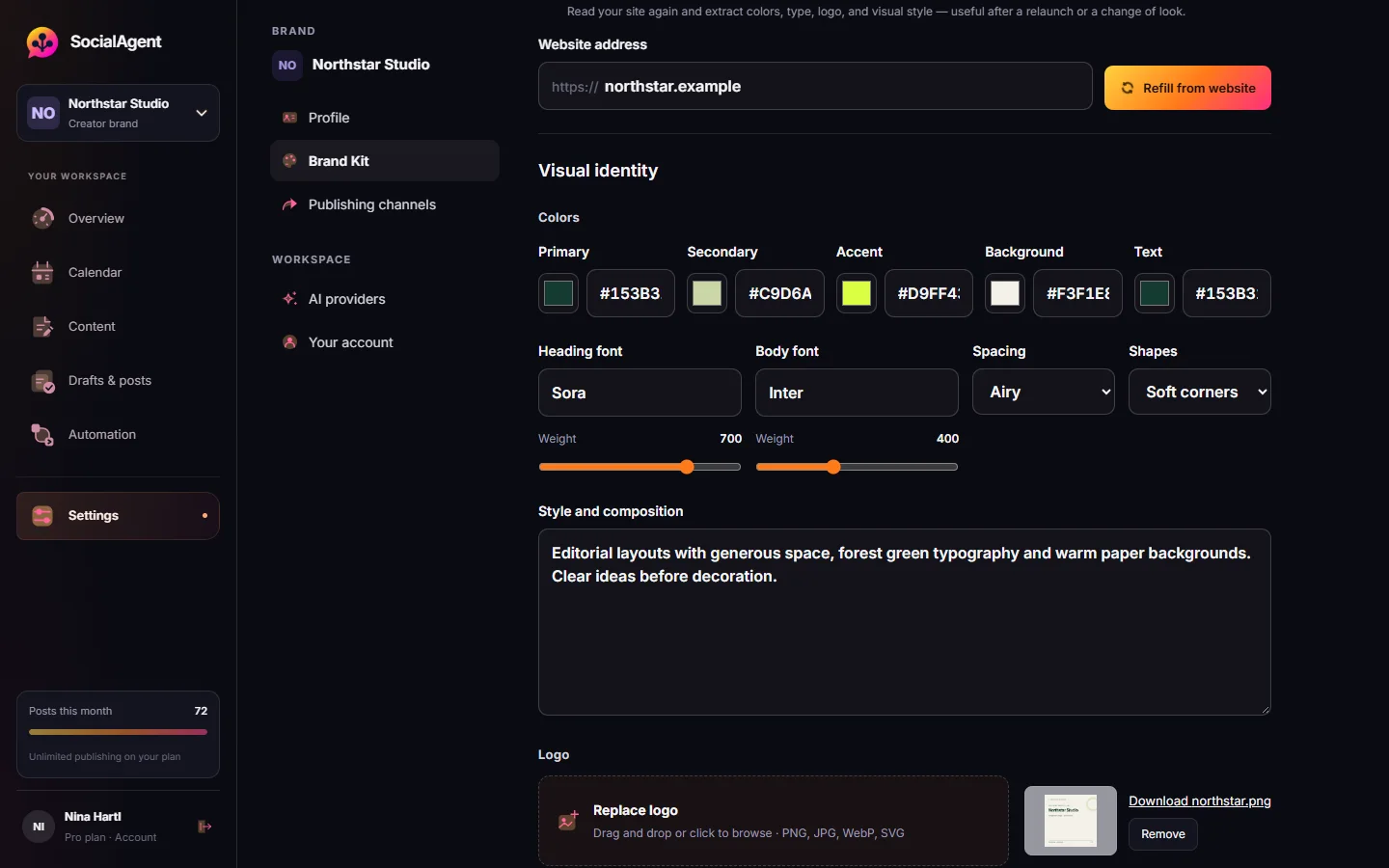
Give your content a consistent look
Save your colors, fonts, logo and visual style. SocialAgent uses them to guide new images and carousel artwork for your brand.
Start with suggestions from your website and update them whenever your brand changes.
More ways to create. One place to publish.
AI caption generator
Draft captions in your brand voice and adjust them for each platform. Choose from five AI providers using your own account.
Images and carousels
Create social media images and two-to-five-slide carousels using your brand colors, fonts and visual style as a guide.
Short video creation
Turn an idea into a 15–30 second vertical video for Reels, TikTok and other social feeds. Included with Pro.
Social media calendar
Plan your posts in one place. See the week or month ahead, change posting times and switch between brands.
Ideas from your sources
Use websites and RSS feeds to create fresh drafts. Read the source excerpts alongside the post before you approve it.
Publish to six platforms
Connect Instagram, Threads, X, TikTok, LinkedIn Company Pages and Facebook Pages. Choose where each post goes.
AI creates the draft. You decide what goes live.
Posts wait for your approval by default. Check the caption, preview the media and make changes before publishing. When you are ready, you can enable automatic publishing for individual schedules.
- Editing an approved post sends it back for review
- Posts that need attention show a reason in your workspace
- See your plan usage as you create and publish
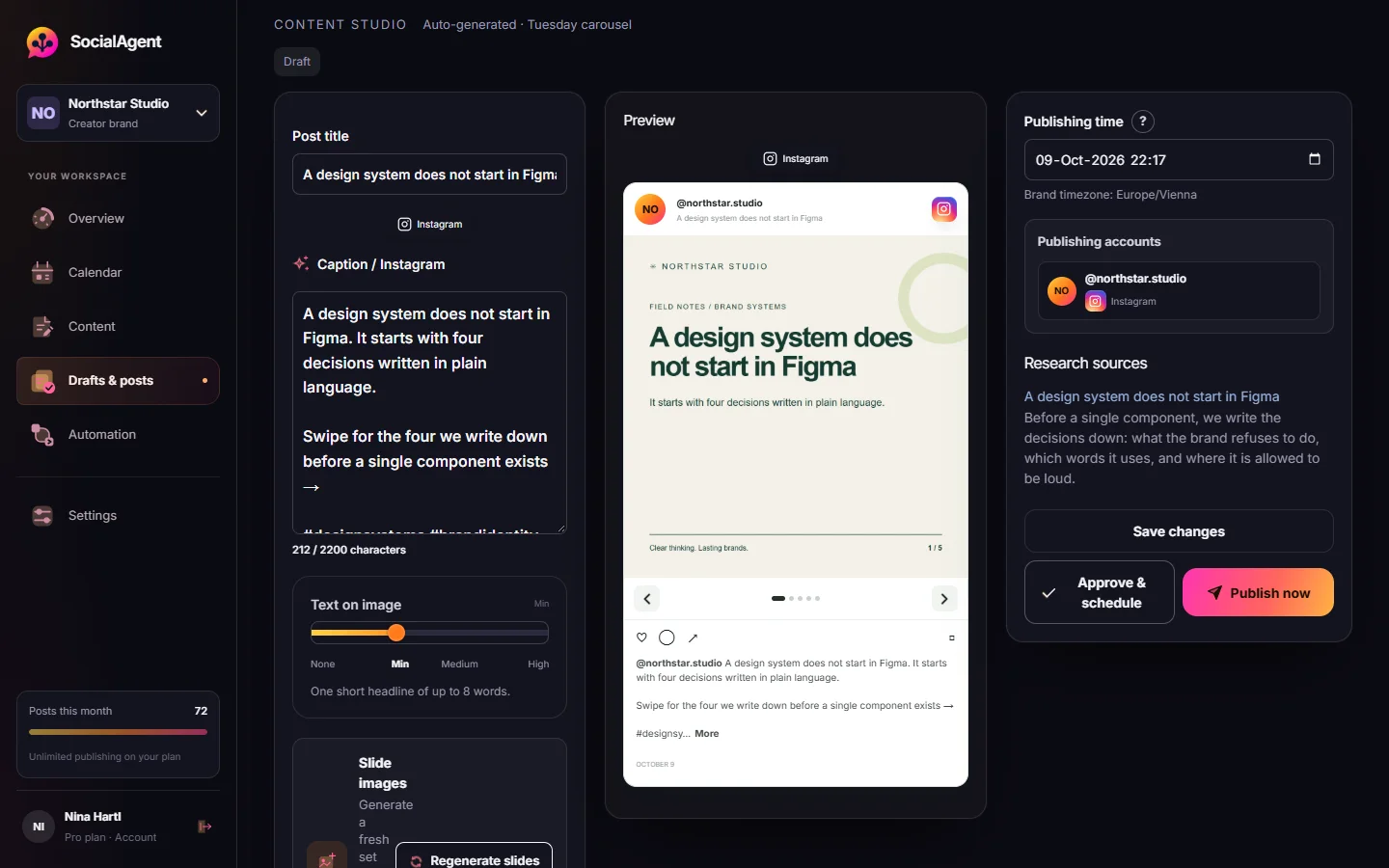
Turn one idea into a swipe-through story
Create a carousel with two to five slides and AI-generated artwork. Use it to share tips, explain an idea or introduce a product, then review each slide before posting.
- Brand Kit colors, logo, type and visual direction guide the artwork
- Two to five slides with finished artwork, previewed in the app
- Choose how much text the generated artwork should contain
Create short videos from an idea
Make 15–30 second vertical videos with animated text and your brand style. Edit the scenes, preview the result and publish to Reels, TikTok or your other connected channels.
- Five motion styles, chosen per post or left to the AI
- Edit each scene and preview your changes
- Publish the finished video to your chosen channels
- Kinetic BoldHuge type, colour wipes, hard cuts
- Soft GradientDrifting colour, one glass card
- EditorialMagazine pages and fine rules
- Data PopBouncy charts and stickers
- Viral HookKaraoke captions, punch zooms
Try something right now
10 free generators, counters and calculators. No login, no API key, nothing sent to a server.
Text post image generator
Turn a quote or short message into an image you can share on Instagram and other platforms.
Open tool →Caption generator
Caption variants shaped for Instagram, Threads or X, with the right length and a real call to action.
Open tool →Character counter
Live counts against every platform limit, plus a preview of exactly where each feed cuts you off.
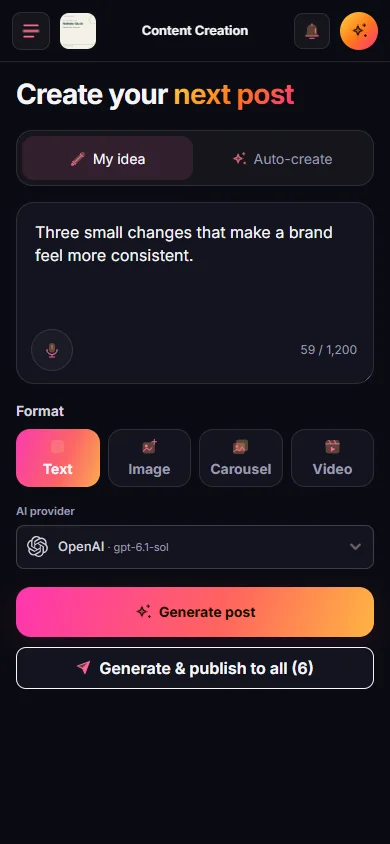
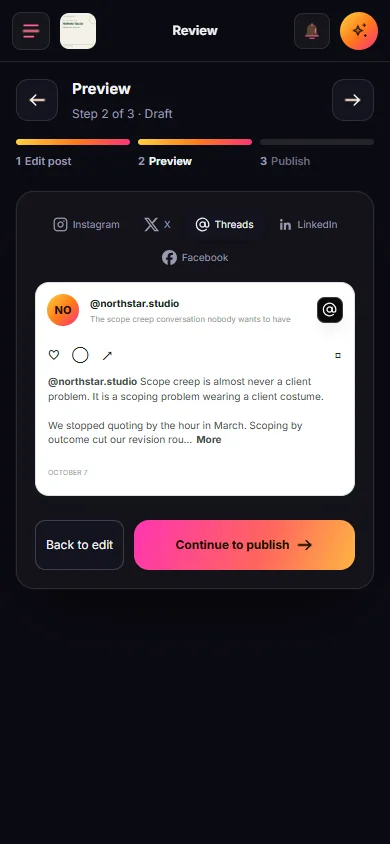
Open tool →Good ideas do not wait for your desk
Write an idea, check the channel preview, or plan the next post. Your workspace adapts to your phone, with clear steps from editing to publishing.
Make social content part of your routine
The Free plan includes one brand and 15 published posts a month. Pro adds video, unlimited posts and more brands. Connect your own AI account; your provider bills AI usage separately.
Reading that is actually useful
AI social posts that do not sound like AI
AI copy is not detectable because it is badly written. It is detectable because it is evenly written — no specifics, no asymmetry, and a tidy summary at the end.
How to schedule Instagram carousels
Scheduling a carousel is straightforward once three constraints are clear: the account type, the ten-item API ceiling, and the fact that Instagram processes each image before the post exists.
Managing social for several brands at once
The failure mode of multi-brand social is not workload. It is leakage: one brand's voice, facts or post ending up on another brand's account.
Questions about AI content creation and scheduling
What is SocialAgent?
SocialAgent is an AI social media content creator and scheduler. It helps you create captions, images, carousels and short videos for your brand, then review, schedule and publish them from one calendar. It is built for creators, small businesses and teams managing multiple brands.
Do I need my own AI account, and does it cost extra?
Yes. To generate content, connect an API key from your own OpenAI, Anthropic, Gemini, Grok or Mistral account. An API key lets SocialAgent use that provider for you. Your provider bills AI usage separately from your SocialAgent plan. OpenAI, Gemini and Grok also support images and carousel artwork.
Which platforms can I publish to?
Instagram, Threads, X (Twitter), TikTok, LinkedIn Company Pages and Facebook Pages. Connect through each platform’s official sign-in page. You can edit captions for each platform and check the result for each account. Instagram publishing requires a Business or Creator account; LinkedIn and Facebook publishing is for Pages.
Can I review posts before they go live?
Approval is the default. Every draft sits in your review queue until you approve it. Automatic publishing is an explicit opt-in per schedule, never a surprise.
What happens if I edit a post after approving it?
The edited version needs your approval again before it can publish. Changing only the scheduled time does not require another approval.
Is there a free plan?
Yes. The Free plan includes one brand and 15 published text, image or carousel posts a month across all six platforms; each channel a post goes out on counts as one. Pro adds video, unlimited monthly posts and unlimited brands. Both plans use your own AI API key, with AI usage billed separately by your provider. During beta, join the waitlist or register with a beta access key.
Can SocialAgent create and schedule Reels and TikTok videos?
Yes. Pro includes 15–30 second vertical videos with animated text and your brand style. Edit the scenes, preview the video, then review and schedule it for Instagram Reels or TikTok through your connected accounts. Video creation requires your own AI provider key; provider usage is billed separately.
How does automatic social media scheduling work?
Set posting days, times and a timezone for each brand. SocialAgent prepares drafts 1–14 days ahead, then publishes approved posts at the scheduled time. Review is required by default; you can enable automatic publishing for an individual recurring schedule.