 SocialAgent
AI Instagram post generator
Turn an idea into a finished Instagram post — caption, artwork, carousel slides or a Reel — in your brand’s colors and voice, then review and schedule it in the same place.
Free plan · Bring your own AI key · Approval before anything publishes
How to generate an Instagram post with AI
-
Add your brand
Paste your website and SocialAgent suggests your description, audience, tone and visual style.
-
Describe the post
Type an idea, or ask for suggestions based on your topics. Choose image, carousel or video.
-
Generate and edit
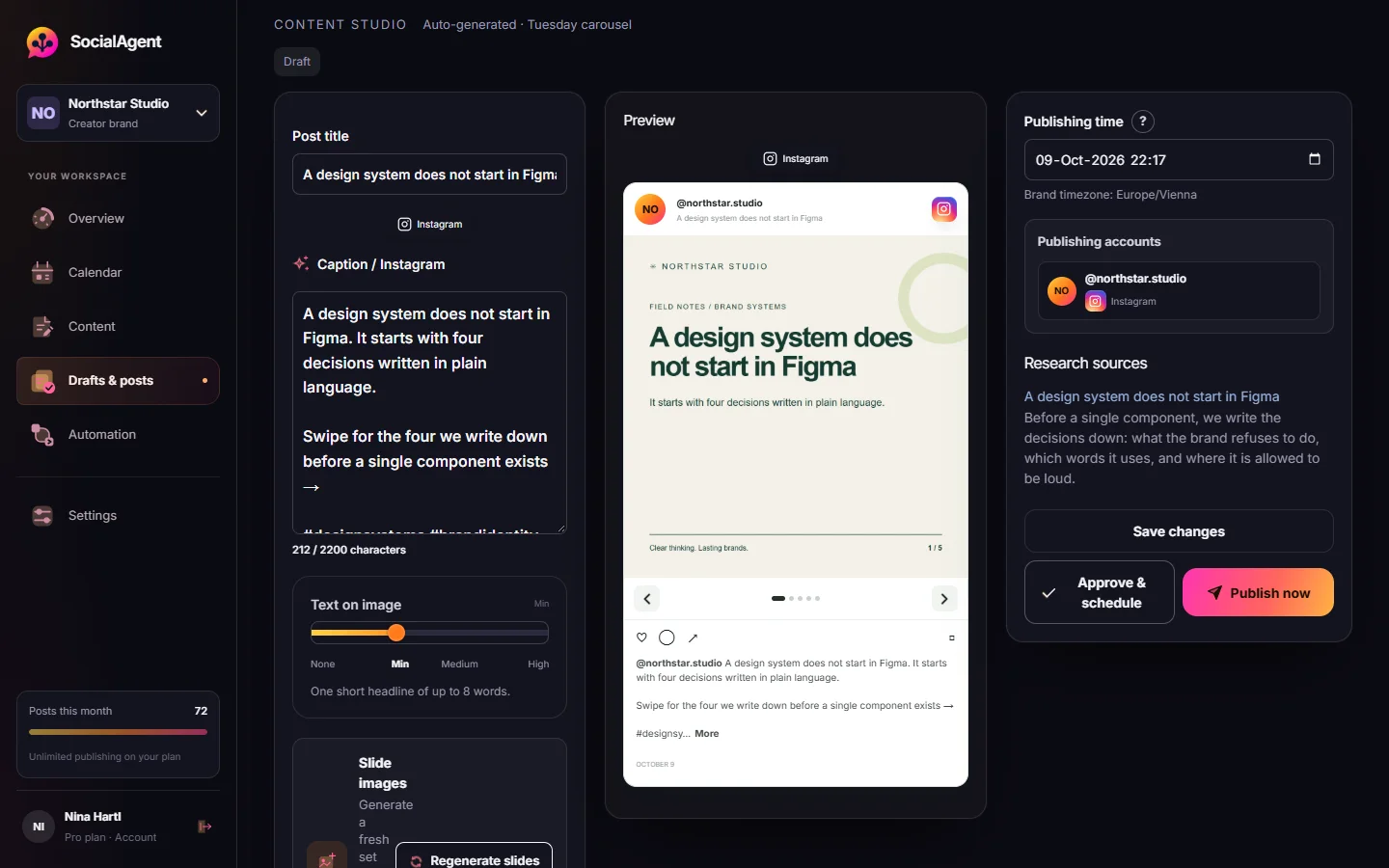
Get a caption and artwork. Edit the text, regenerate a slide, or change how much text sits on the image.
-
Schedule to Instagram
Approve it for a time on your calendar. It publishes from your Business or Creator account.
More than a caption box
Your Brand Kit in every image
Colors, typography, logo and visual direction guide the artwork, so posts look like a set, not a collage.
Captions in your voice
Written from your saved audience, tone and topics, with a count against the 2,200-character limit.
Carousels that publish
Two to five slides with finished artwork. Publishing is blocked until every slide image exists.
Reels on Pro
15–30 second vertical videos with animated text in five motion styles.
Your own AI
OpenAI, Anthropic, Gemini, Grok or Mistral for text; OpenAI, Gemini or Grok for images.
Review before it posts
See the Instagram preview and approve. Nothing publishes unread by default.
See exactly what Instagram will show
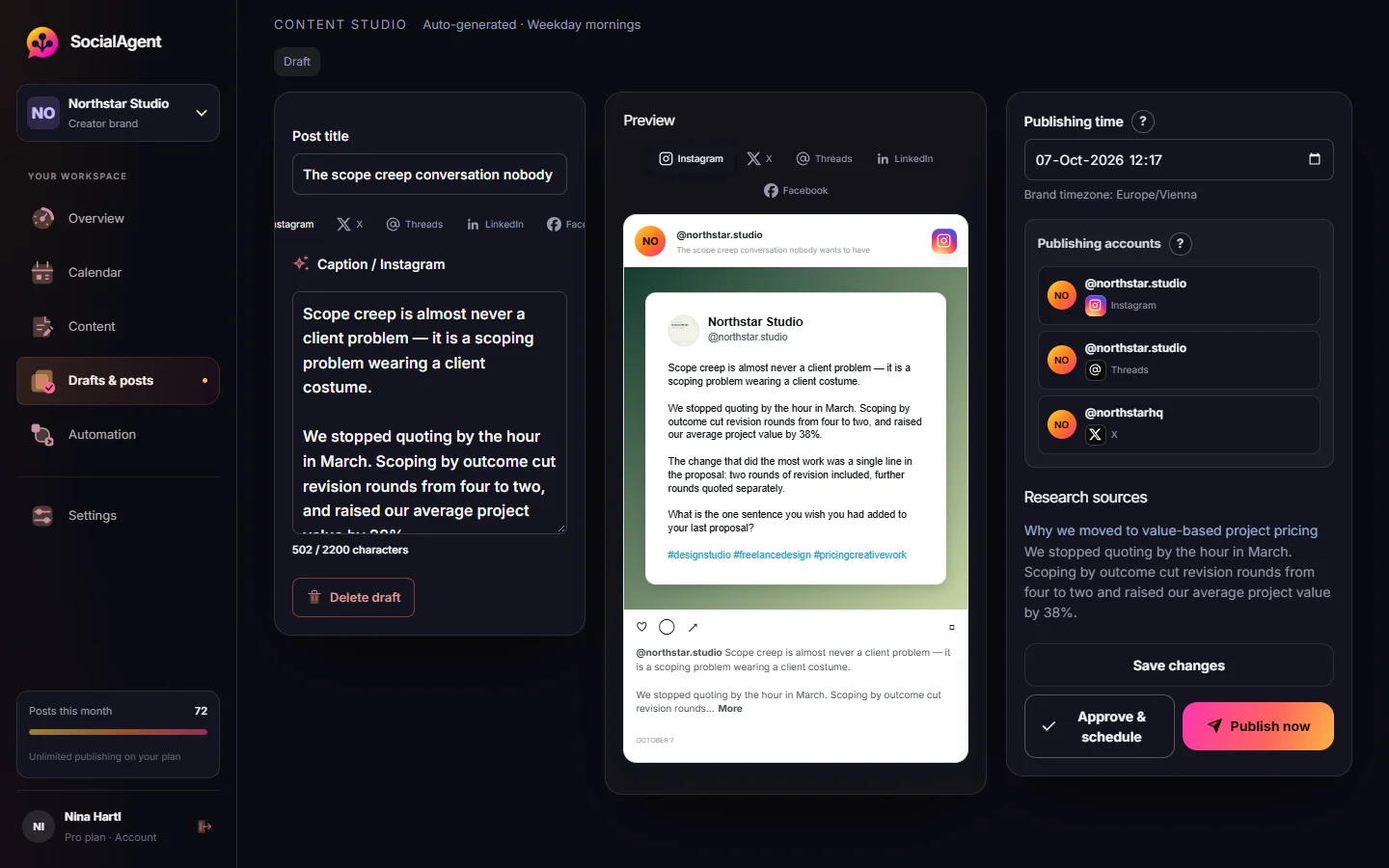
Every draft opens with the caption, the artwork, the accounts it will post to and the publishing time in your brand’s timezone.
- Edit the Instagram caption separately from other channels
- Approve for a time, or publish now
- Editing after approval sends it back for review
Common questions
Is there a free AI Instagram post generator?
SocialAgent’s Free plan lets you create and publish 15 posts a month, images and carousels included, using your own AI key. For quick captions without an account, try our free caption generator.
Can it post directly to Instagram?
Yes, from an Instagram Business or Creator account connected through Meta’s official sign-in.
What image sizes does it create?
Artwork is generated for Instagram’s feed; 4:5 portrait (1080 × 1350) and square (1080 × 1080) are the sizes to plan for.
Can I control how much text is on the image?
Yes. Choose how much text appears in the artwork for each post, and regenerate an image until it fits.
Which AI writes the posts?
The provider you connect: OpenAI, Anthropic, Gemini, Grok or Mistral. You pay the provider directly for usage.
Related guides and tools
How to create Instagram posts with AI
Learn how to create Instagram posts with AI: captions, images and carousels in your brand style, with tips for prompts and a review step before you publish.
Read more →Instagram Scheduler
Schedule Instagram posts and carousels. Generate captions with your own AI keys, generate slide artwork, review posts, publish from a Professional account.
Read more →AI Carousel Generator
Generate two-to-five-slide carousels with brand-aware AI artwork, your own AI keys, and a review step before publishing.
Read more →AI Caption Generator
Turn a topic into caption variants shaped for Instagram, Threads or X — with the right length and a real call to action.
Read more →Quote Card & Text Post Image Generator
A free quote card generator and text post generator for Instagram. Turn quotes or short posts into images with your name and photo. No login or watermark.
Read more →AI video generator for Reels and TikTok
Turn an idea into a 15–30 second vertical video with animated text in your brand style. Edit the scenes, preview, then schedule it as a Reel or TikTok.
Read more →Create your next post with AI
Free plan with 15 published posts a month. Bring your own AI key and review every post before SocialAgent publishes it.