 SocialAgent
How to create Instagram posts with AI
AI can write the caption, design the image or carousel and schedule the post. The difference between a post that looks generic and one that looks like yours is what you tell it first.
Free plan · Bring your own AI key · Approval before anything publishes
The short answer
To create an Instagram post with AI, give the AI your brand details and an idea, choose a format (single image, carousel or Reel), and generate a caption and artwork. Edit the caption so the first line hooks, check the image in an Instagram preview, then publish or schedule it from an Instagram Business or Creator account.
Create an Instagram post with AI in four steps
-
Give AI your brand
Add your website or describe your brand, audience and tone. Save colors, fonts and a logo so images come out in your style instead of stock-photo generic.
-
Start from an idea
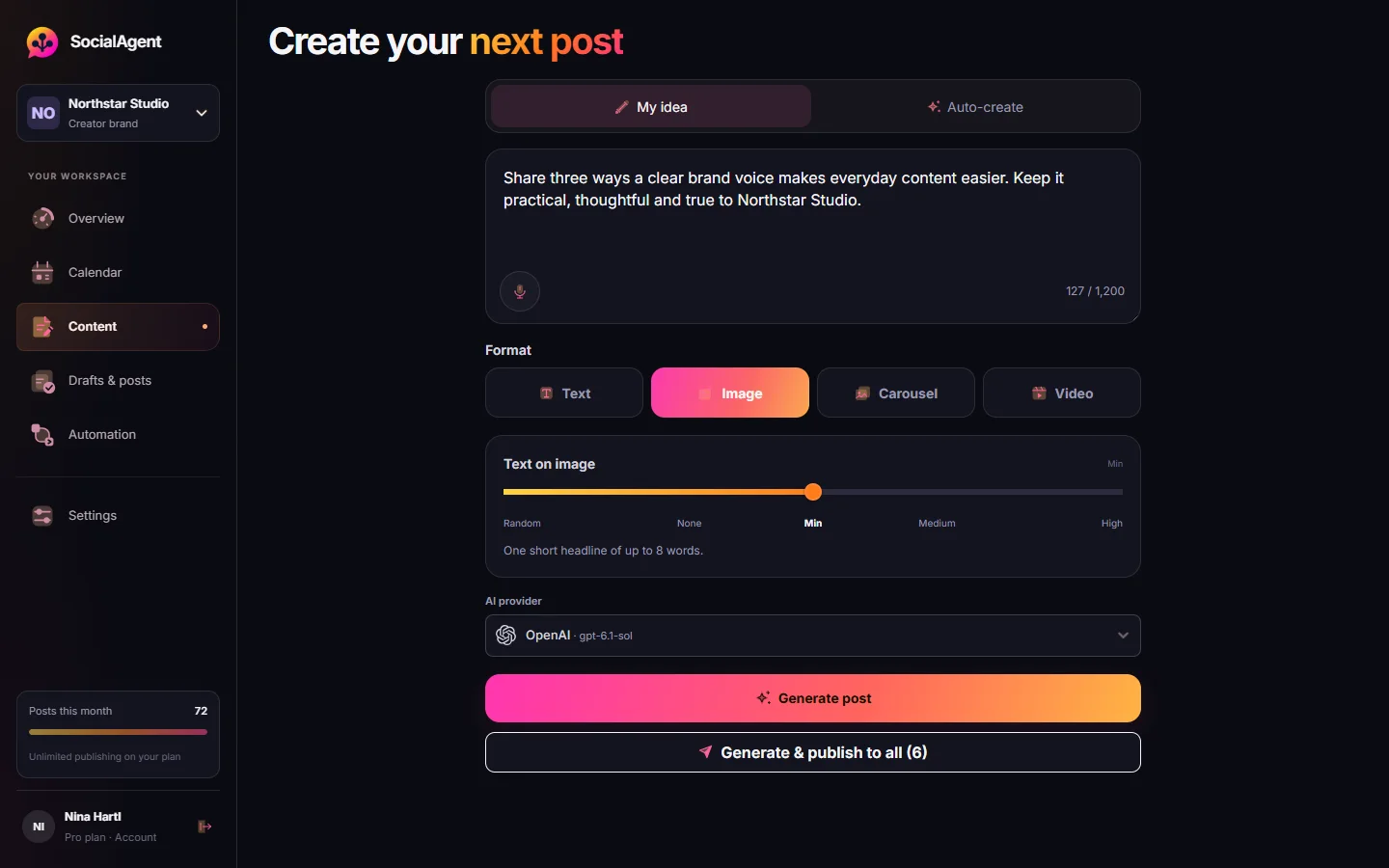
Type a rough idea — a tip, an announcement, a question your customers ask — or let AI suggest one from your brand topics.
-
Pick the format and generate
Choose an image post, a two-to-five-slide carousel, or a short vertical video for Reels. AI writes the caption and creates the artwork.
-
Review, then schedule
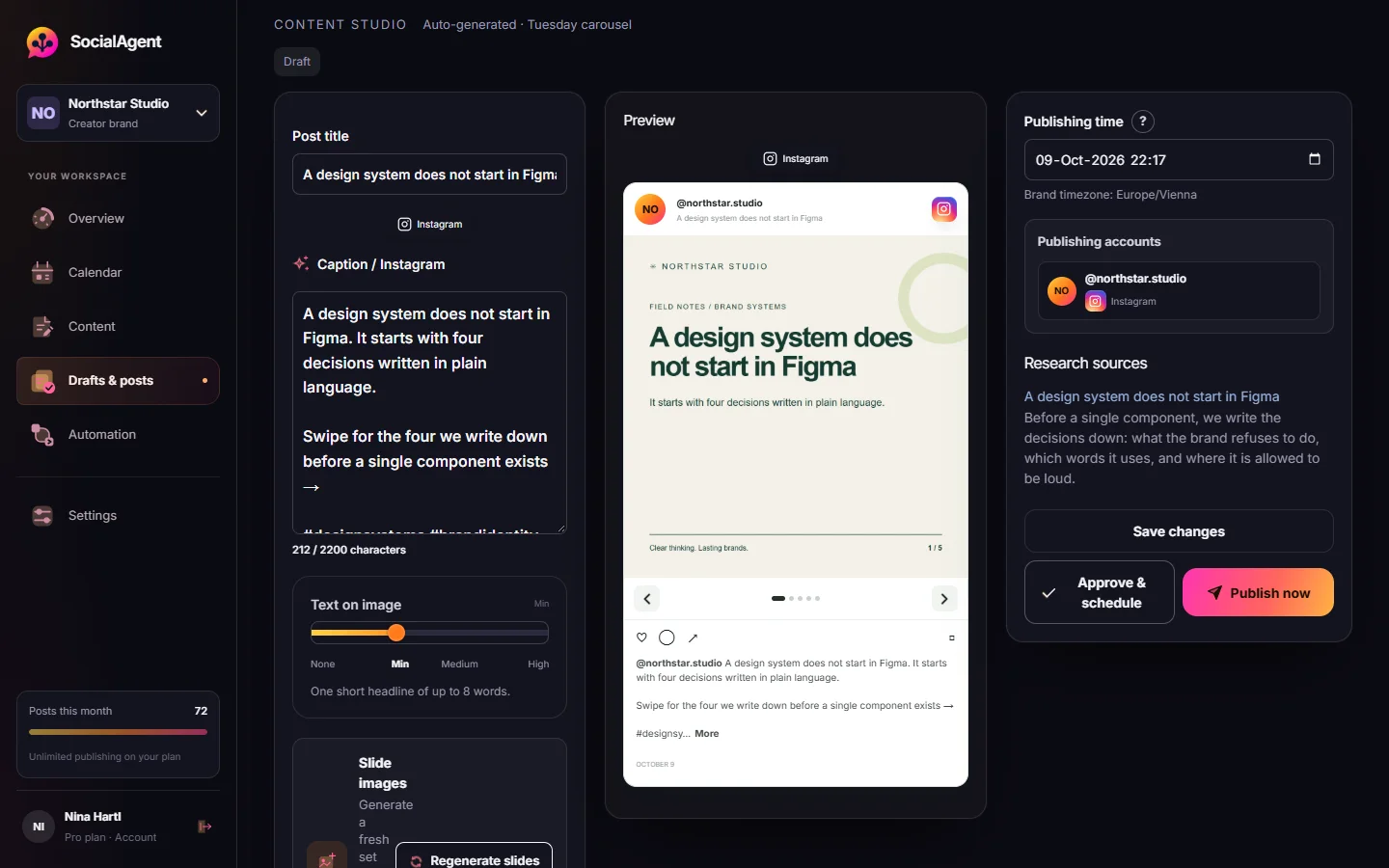
Edit the caption, check every slide in the Instagram preview, and approve the post for the time you choose.
Which Instagram format to ask AI for
Single image
Best for a quote, an announcement or a striking visual. A short text overlay plus a caption that adds the detail.
Carousel
Best for tips, steps and how-tos. Two to five slides that each make one point, with the first slide doing the hooking.
Reel
Best for reach. A 15–30 second vertical video with animated text, created from the same idea on SocialAgent Pro.
Brand-aware artwork, slide by slide
Your Brand Kit — colors, typography, logo and visual direction — guides every image. You choose how much text appears in the artwork and review each slide before anything is approved.
- Images with your OpenAI, Gemini or Grok key
- Captions with OpenAI, Anthropic, Gemini, Grok or Mistral
- A caption count against Instagram’s 2,200-character limit
Prompts that produce better Instagram posts
The best prompt is short, because your brand profile already carries the context. Say what the post is about, who it is for and what you want people to do.
- Weak: “Write an Instagram post about coffee.”
- Better: “Carousel: three mistakes people make brewing filter coffee at home. For beginners. End with a question.”
- For an announcement: “Single image: we open a second shop on 3 November on Main Street. Excited but not salesy.”
Give the facts yourself — dates, prices, names — rather than letting AI guess them.
Editing checklist before you publish
- Does the first line work on its own? Only about 125 characters show before “more”.
- Is there one clear call to action, not three?
- Are the facts right, and do the slides match the caption?
- Would you say it like that out loud? Cut words you would never use.
- Three to five specific hashtags usually do more than thirty broad ones.
Common questions
Can AI make Instagram posts for free?
With SocialAgent’s Free plan you can create and publish 15 posts a month, including images and carousels, using your own AI key. Your AI provider charges for its usage, usually a few cents per caption or image.
Do I need an Instagram Business account?
To publish from a tool, yes. Instagram only allows third-party publishing from Professional accounts, which means Business or Creator. Switching is free in Instagram settings.
Will people know my post was made with AI?
Not if you edit it. AI drafts sound generic when nobody touches them. Add a real detail, cut the filler and keep your own phrasing, and it reads like you.
Can AI create Instagram carousels?
Yes. SocialAgent writes the slide copy and generates artwork for two to five slides in your brand style, and blocks publishing until every slide image exists.
Can AI make Instagram Reels?
On SocialAgent Pro, yes: 15–30 second vertical videos with animated text in one of five motion styles, published to Instagram as Reels.
Related guides and tools
AI Instagram post generator
Create Instagram posts with AI in your brand style: captions, images, carousels and Reels. Review each post, then schedule it to your Instagram account.
Read more →Instagram Scheduler
Schedule Instagram posts and carousels. Generate captions with your own AI keys, generate slide artwork, review posts, publish from a Professional account.
Read more →AI Carousel Generator
Generate two-to-five-slide carousels with brand-aware AI artwork, your own AI keys, and a review step before publishing.
Read more →How to schedule Instagram carousels (and the API limits)
Planning, building and scheduling Instagram carousels: the account requirement, the 10-item API ceiling, and the delay that breaks third-party publishing.
Read more →AI Caption Generator
Turn a topic into caption variants shaped for Instagram, Threads or X — with the right length and a real call to action.
Read more →Hashtag Generator
A balanced hashtag set from your keyword — broad, mid-size and niche tags, sized per platform.
Read more →Create your next post with AI
Free plan with 15 published posts a month. Bring your own AI key and review every post before SocialAgent publishes it.