 SocialAgent
Social media for restaurants and cafés
Service does not leave time for writing captions. SocialAgent prepares posts for your specials, events and kitchen stories ahead of time, so they go out at the moment people decide where to eat.
Free plan · Bring your own AI key · Approval before anything publishes
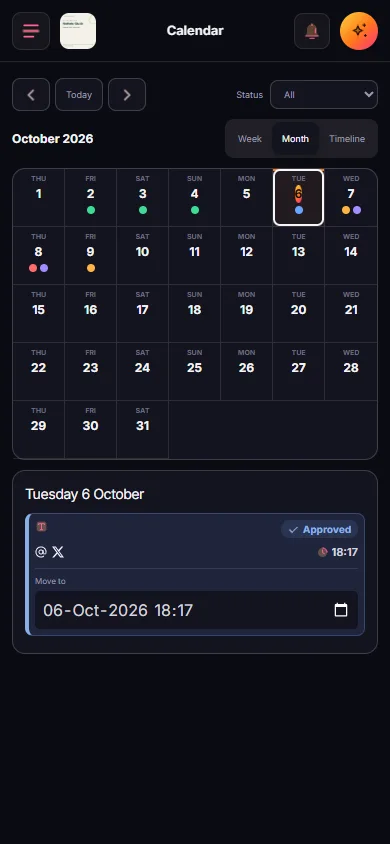
Set up in one quiet afternoon
-
Add your website
SocialAgent picks up your menu style, tone and visual identity.
-
Plan around service
Schedule posts before lunch and dinner decisions, in your timezone.
-
Approve on your phone
Check the week’s posts between services and approve them in minutes.
What restaurants can post each week
Today’s special
A short, appetising caption and a branded image, ready before lunch.
Behind the scenes
Prep, suppliers and the team. The posts people connect with.
Events and offers
Quiz nights, tasting menus, holidays, with dates you provide.
Short videos
On Pro: 15–30 second Reels and TikToks with animated text.
Questions
“Which should go on the winter menu?” invites comments.
Opening hours
Changed hours and closures, scheduled ahead of time.
Common questions
How often should a restaurant post on social media?
Three to five times a week on Instagram and Facebook works for most restaurants, timed before the meals people are deciding on.
Should restaurants use AI images of food?
Use AI artwork for announcements, quotes and event graphics in your brand style. For the dishes themselves, real photos are more honest and usually perform better.
Is it free?
The Free plan covers one brand and 15 published posts a month. Pro adds video and unlimited posts for €29 a month.
Related guides and tools
Social media for small business, without the extra hire
A simple way for small businesses to post consistently: AI drafts from your website, posts in your brand style, and scheduling to six channels. Free plan.
Read more →AI Instagram post generator
Create Instagram posts with AI in your brand style: captions, images, carousels and Reels. Review each post, then schedule it to your Instagram account.
Read more →AI video generator for Reels and TikTok
Turn an idea into a 15–30 second vertical video with animated text in your brand style. Edit the scenes, preview, then schedule it as a Reel or TikTok.
Read more →Best Time to Post Planner
A starting posting schedule in your own timezone, built from your audience type and how often you can post.
Read more →AI Caption Generator
Turn a topic into caption variants shaped for Instagram, Threads or X — with the right length and a real call to action.
Read more →Facebook Post Scheduler for Pages
Schedule Facebook Page posts with AI captions, photos and video. Review every draft and publish on a calendar in your brand’s timezone.
Read more →Create your next post with AI
Free plan with 15 published posts a month. Bring your own AI key and review every post before SocialAgent publishes it.