 SocialAgent
How to use AI for social media marketing
AI is good at volume and variations. You are good at knowing what is true, what matters to your customers and what sounds like you. The best results come from splitting the work that way.
Free plan · Bring your own AI key · Approval before anything publishes
The short answer
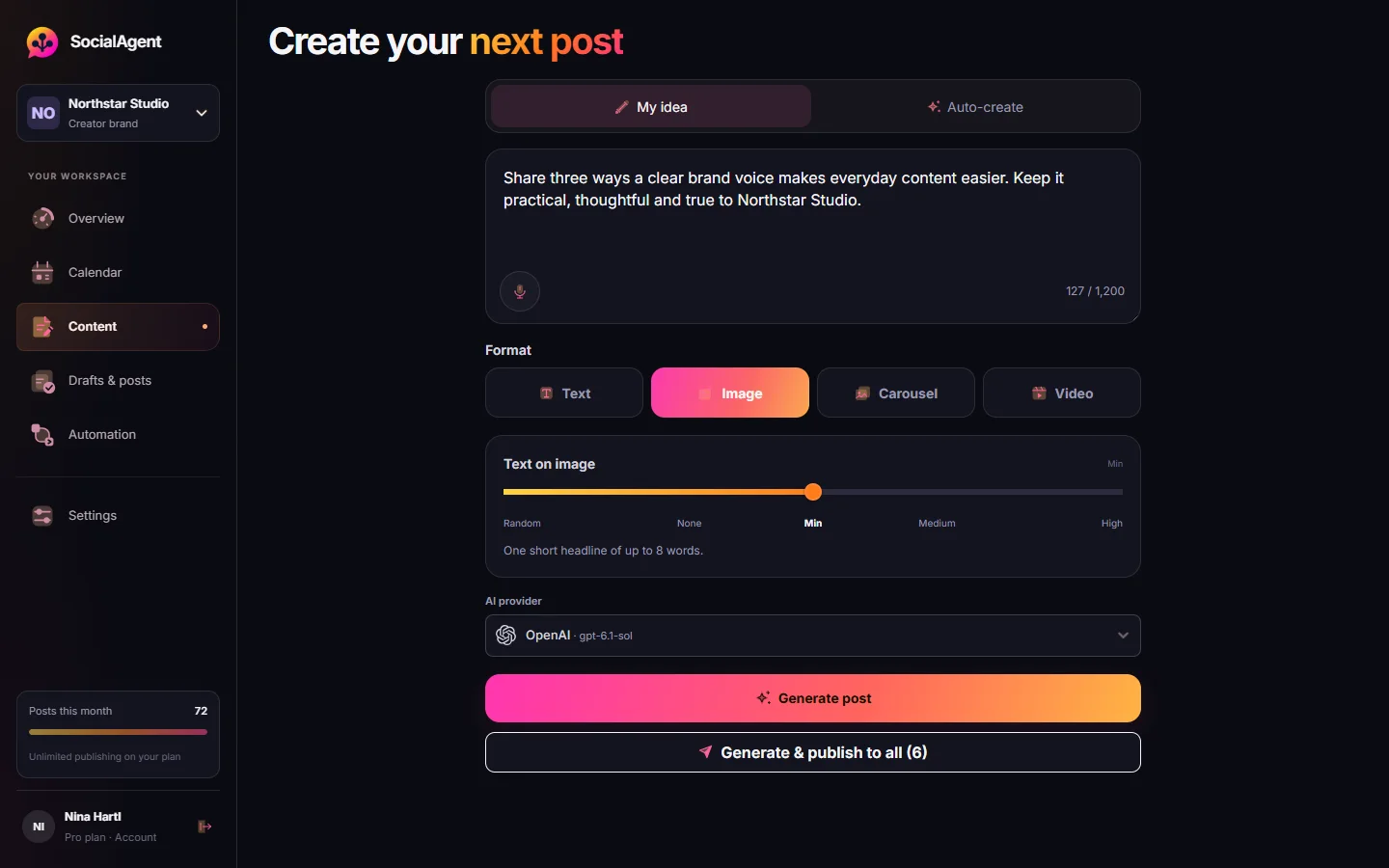
Use AI for social media to brainstorm post ideas, write first drafts of captions, adapt one post for each platform, create images, carousels and short videos, and prepare posts ahead of a schedule. Keep people in charge of facts, final wording and approval, and give the AI a saved brand profile so its drafts match your voice.
Set up AI for your social media
-
Choose your AI provider
Use an API key from OpenAI, Anthropic, Gemini, Grok or Mistral. You pay the provider directly for what you use, with no markup in between.
-
Save a brand profile
Audience, tone, topics, words to avoid, colors and fonts. This is the context the AI reads before every draft.
-
Generate, then edit
Ask for a post, edit it to sound like you, and save phrasing you like as part of your brand.
-
Review before publishing
Approve every post until you trust the output, then decide where automatic publishing makes sense.
Six jobs AI does well
Post ideas
Suggestions based on your topics and audience, so the calendar never starts empty.
First drafts
Captions and hooks you edit, rather than write from scratch.
Platform versions
A long LinkedIn post, a short X post and an Instagram caption from the same idea.
Images and carousels
Artwork in your brand colors and fonts, slide by slide.
Short video
Vertical videos with animated text for Reels and TikTok.
Research-based drafts
Posts drafted from your website or RSS sources, with the sources kept for you to check.
Where AI still needs you
- Facts. AI can invent numbers, dates and quotes. Give it the facts, or use drafts built from sources you can check.
- Voice. Unedited AI copy drifts towards the same phrases everyone else’s AI uses. Your edits are what make it yours.
- Timing. AI does not know that today is a bad day to post a joke.
- Conversations. Replies and DMs are relationships, not content.
Why bring your own AI key
Most tools bundle AI credits into a plan and mark them up. With your own key you choose the model, see exactly what you spend, and can switch providers when a better model comes out. In SocialAgent you can pick the provider per draft.
Common questions
Which AI is best for social media posts?
Current models from OpenAI, Anthropic, Google Gemini, xAI Grok and Mistral all write good social posts when they have a clear brand profile. For images and carousel artwork, use OpenAI, Gemini or Grok.
How much does AI for social media cost?
With your own API key, a caption usually costs a fraction of a cent and an image a few cents, depending on the model. SocialAgent’s plan is separate: Free for 15 posts a month, or Pro at €29 a month.
Is AI-generated content bad for SEO or reach?
Platforms judge posts by how people respond, not by how they were written. Generic, repetitive posts do poorly whether a person or an AI wrote them.
Can AI run my social media completely?
It can prepare and publish posts on a schedule. We recommend keeping a human approval step and handling replies yourself.
Related guides and tools
An AI social media manager that asks before it posts
An AI social media manager that learns your brand, suggests ideas, writes and designs posts, and publishes them on schedule — with you approving every post.
Read more →How to write AI social posts that do not sound like AI
The specific patterns that make AI-written social copy recognisable, and the prompt and editing changes that remove them.
Read more →Why you should bring your own AI key to your social media tool
Bundled AI credits hide the model, the cost and the data path. Bringing your own OpenAI, Anthropic or Google key fixes all three. Here is what changes.
Read more →AI social media post generator
Generate social media posts with AI for Instagram, TikTok, LinkedIn, Facebook, Threads and X — one idea, a native version per platform, reviewed and scheduled.
Read more →Post Ideas Generator
Twenty content angles for one topic, each tagged with the format it suits and the job it does.
Read more →How to automate social media without losing control
A step-by-step guide to automating social media: what to automate, what to keep manual, and how to set up AI drafts, a review queue and scheduled publishing.
Read more →Create your next post with AI
Free plan with 15 published posts a month. Bring your own AI key and review every post before SocialAgent publishes it.